
What is a JJS moveset code?
In Jujutsu Shenanigans, a moveset code is a text string generated by the Skill Builder system. Players can copy and paste this code to share custom abilities, combos, and attack mechanics with others.
Instead of manually recreating every move, importing a moveset code instantly loads the entire move structure inside the Skill Builder.
What a Moveset Code Looks Like
Before you watch the video, it helps to know what you are looking for. Moveset codes are long, encrypted text strings similar to this:
Video Tutorial
Watch this step-by-step guide produced by the community. To follow along, you can use the exact same REVOLVER AND GUN CODE created by youtube\@tochity.
Revolver and Gun Code
Click below to view the full details and safely copy the exact same moveset code shown in the video.
Step-by-Step: Importing a Moveset Code
Important: Because movesets are imported within the game menus, it is highly recommended to watch the video tutorial above to see exactly where to click. Below is a quick text summary of the steps you will see in the video.
Place the Block
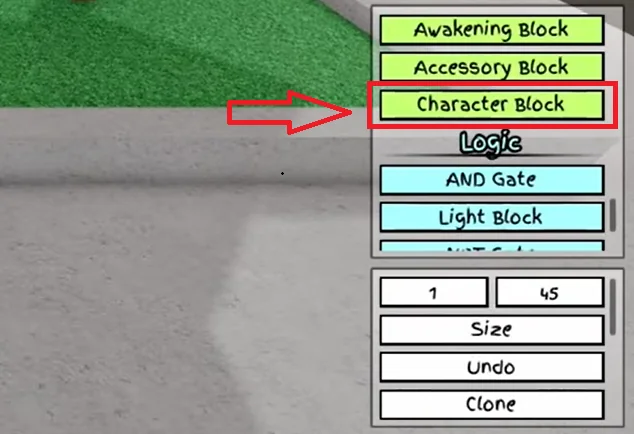
First, select your character block and place it down in your workspace.
Configure
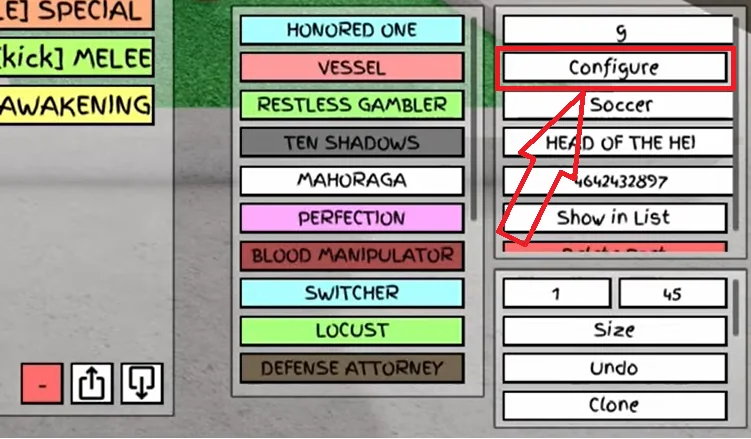
Click on the "Configure" button on your block.
Import Setting
After clicking "Configure", look at the bottom right corner of the popup menu. You will see three buttons — click the far right one.

Paste & Finish
Paste the moveset code into the box and click "Finish". You're all set!

Ready to try it out?
Once you've watched the tutorial, head over to our Moveset Codes page to find a custom moveset, copy the code, and test it in-game.
Common Problems When Importing Movesets
Moveset code not working
Possible reasons:
- The server does not allow custom moves
- The wrong base character is selected
- The code is outdated
Fix: Try using another server or different code.
Moveset loads but abilities look wrong
This usually happens when:
- The moveset was built for a different base
- Animation IDs are missing
- Sound IDs are unavailable
Tips for Using Custom Movesets
- → Test moves in practice servers first
- → Keep a backup of your favorite codes
- → Try different base characters
- → Study how movesets are structured
If you want to learn how moves are built, you can also experiment with the JJS Build Planner.
FAQ
What is a JJS moveset code?
A moveset code is a text string that stores the structure of a custom move. Players can copy and paste this code to share movesets.
Where can I find JJS moveset codes?
You can find community codes on:
- Discord
- YouTube
- JJS Skill Builder Moveset Codes library
Do I need files to import movesets?
No. Movesets are imported by pasting a text code, not by uploading files. You may need JJS Animation IDs or SFX IDs if you're building them manually, but a complete code includes everything.