
Jujutsu Shenanigans · Events & rewards
JJS Halloween Event 2026: Skins, Candy & Rewards
JJS Halloween 2026 skin checklist with pictures, equipment slots, saved progress, 100-Candy purchases and shop directions. Find pumpkin doors, compare emote prices, equip rewards and check end-date and code details.
Last checked: · JJS Skill Builder
 View full size ↗
Collecting cosmetics? Open the JJS Halloween skins list, pictures & saved checklist to compare names and equipment slots.
Live · V1.85
Doors → Candy → Shop
Look for pumpkin-marked doors. Hold E to finish the interaction.
Save for your reward
15 / 100 / 250 Candy
Broom / 2026 categories / 2025 emotes.
V1.85: what to do differently
- Use Trick or Treat in a public server. The emote is now restricted to public servers. This restriction is not a published rule for every Candy activity.
- Do not wait for night. The Halloween night cycle is disabled. The older screenshots below identify landmarks; their lighting may differ from your server.
- Separate the emote pools. Three new Halloween emotes are announced without names. Ice Cream Stand, Entertainment and Moon Leaps are listed separately as regular shop additions; do not count all six as Halloween rewards.
- Check inventory and Coins before buying again. The update refunds duplicate or vaulted skins as Coins and fixes duplicate skins from purchase multipliers. No compensation amount or new Candy price is specified.
Building during the event? Follow the new Branch properties walkthrough and multiplayer Undo checklist. For combat, see the Hanami V1.85 changes.
October 31: Hired Hunter and Sky Bender names
The developer announced that Toji and Uro were being renamed Hired Hunter and Sky Bender because “Killer” and “Assassin” are banned in Vietnam. Regional display names have not been independently checked in-game. These are the characters previously called Hired Killer and Sky Assassin; no move, balance or access change is implied.
See the Toji / Hired Hunter guide and Uro / Sky Bender guide.
October 25 hotfix: Halloween event changes
The developer’s October 25 patch notes, edited October 26, confirm changes to the event weights: Doors 8 → 7 and Pumpkin Hunt 2 → 3. These are selection weights, not Candy payouts. The special-door chance increases from 10% to 12.5%.
Awakened Puppet Master can no longer steal a pumpkin, and awakening is disabled while holding one. Pumpkin hold-time calculation and reassignment when the carrier leaves or is voided were fixed. No new skin list, Candy price or shop deadline was announced in this hotfix.
Later developer notes confirm map-loading and destroyed-part saving fixes on October 27 (the saving fix applies to new servers only), followed by a debris-cache fix on October 29. See the Build Mode map-saving notes.
01 · Collect
How to get Candy in JJS Halloween 2026
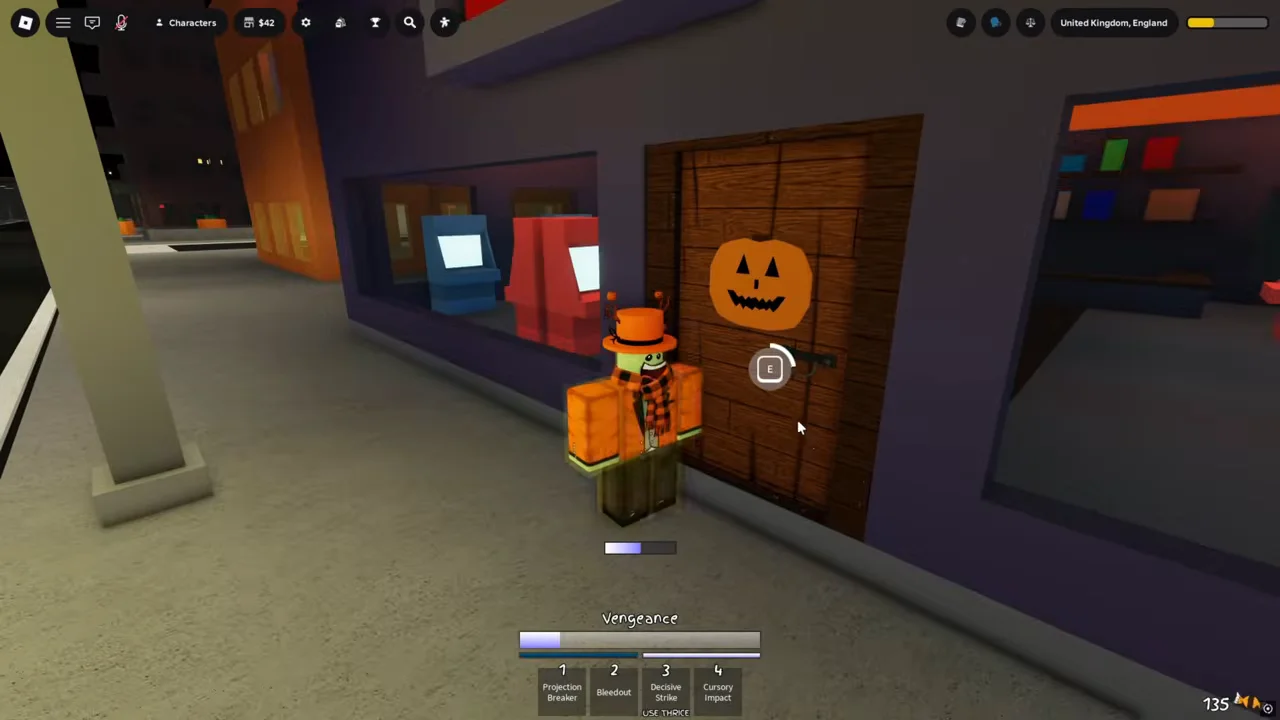
Pumpkin doors: hold E until the ring fills
- Join a public server. Watch the event message at the top of the screen, then search building doorways for a wooden door with an orange pumpkin face.
- Stand close and hold E on PC. Stay at the door until the circular interaction indicator completes. The screenshot shows the prompt to look for.
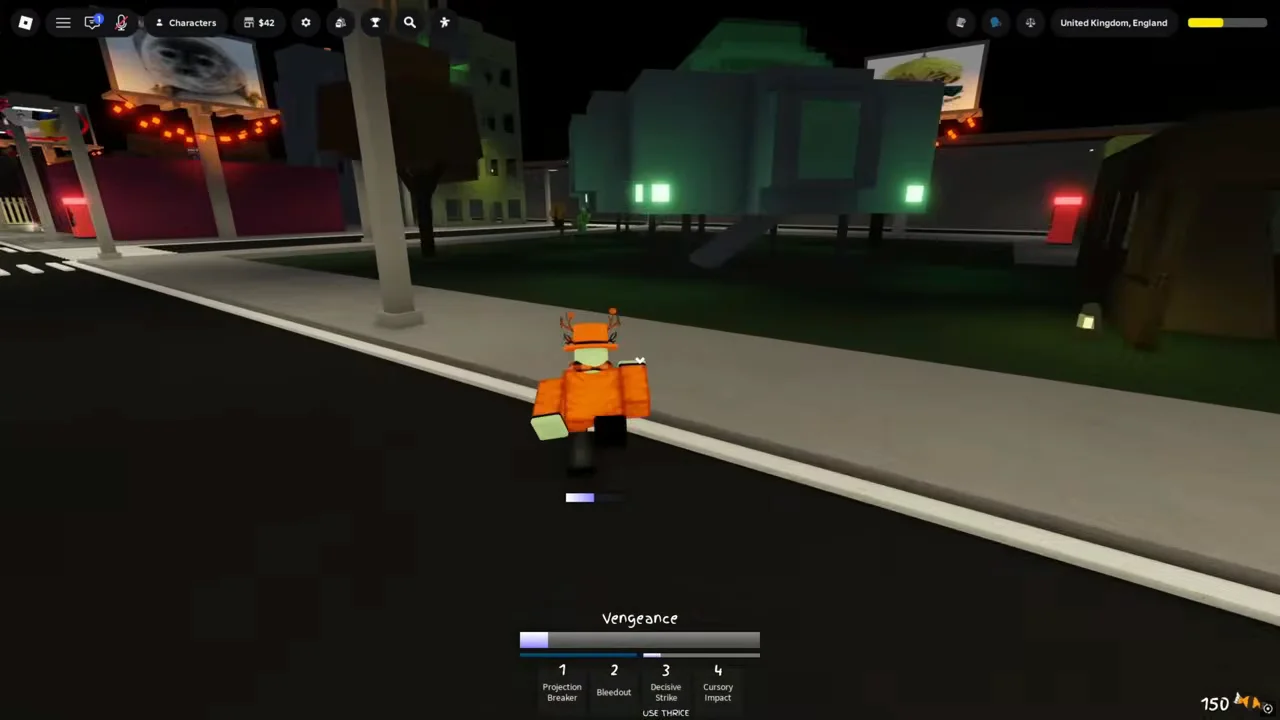
- After it opens, watch Candy fly toward you and check the bottom-right Candy counter. Move on to another pumpkin door.
In the recorded sequence, one door takes the balance from 135 to 150: +15 Candy. That is an observed payout, not a measured Candy-per-minute rate.
Crowded doors leave you exposed to attacks. Try a public server with fewer players through Roblox’s Servers list; this reduces competition, but does not guarantee faster spawns.
 View full size ↗
See the counter after opening the door
 View full size ↗
 View full size ↗
Pumpkin round: keep the pumpkin until time runs out
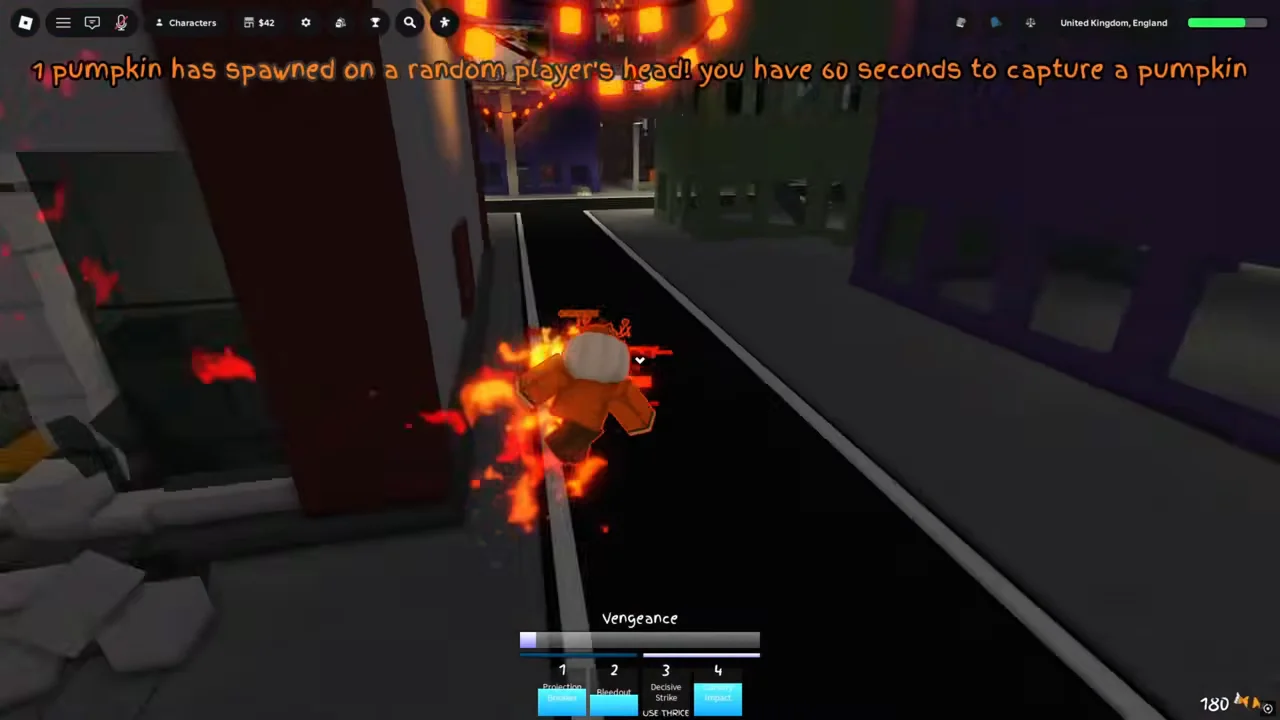
A pumpkin can appear on a player’s head. In this recording, the event message gives players 60 seconds to capture it. The carrier keeps moving with the flaming pumpkin until the timer ends, then receives Candy.
If you are the carrier, focus on staying alive and keeping away from pursuers. The footage is edited, so it does not establish a fixed reward or the best farming rate.
Kills also award Candy
Kills are another Candy source in the official V1.84 update. They can add to your balance between events; this guide does not assign a fixed payout per kill.
02 · Follow the route
Where is the Halloween Candy shop?
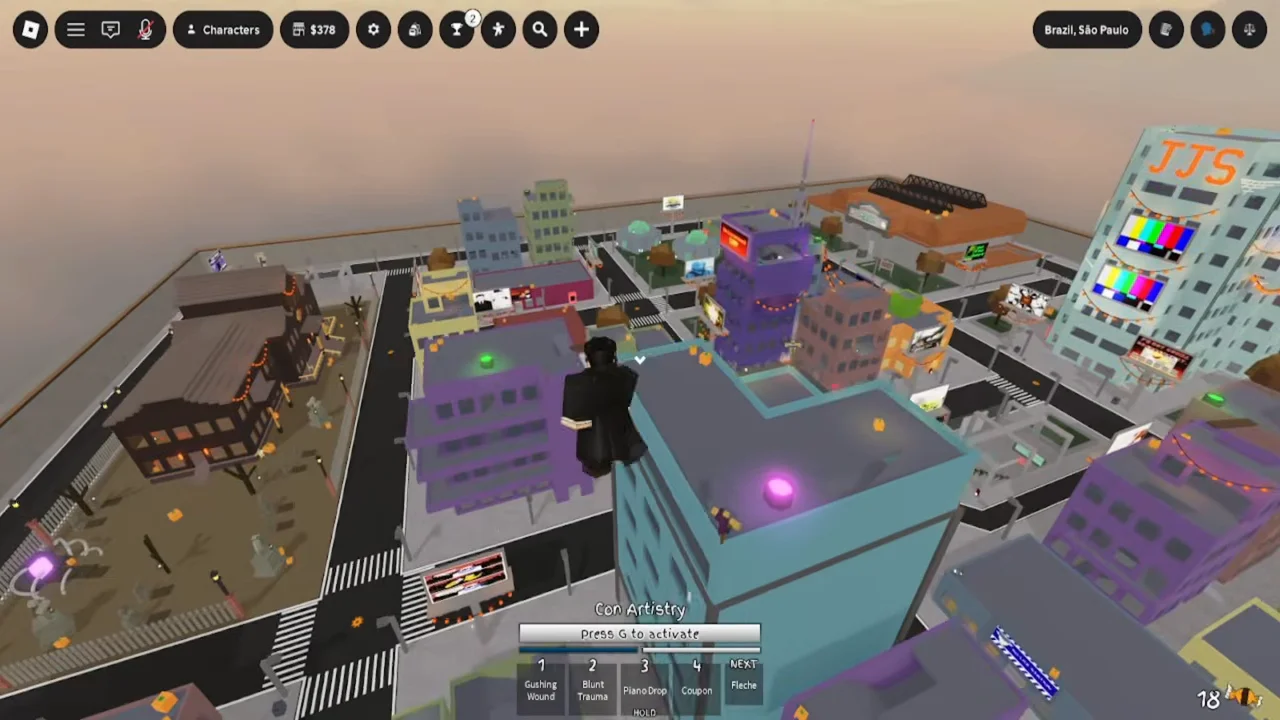
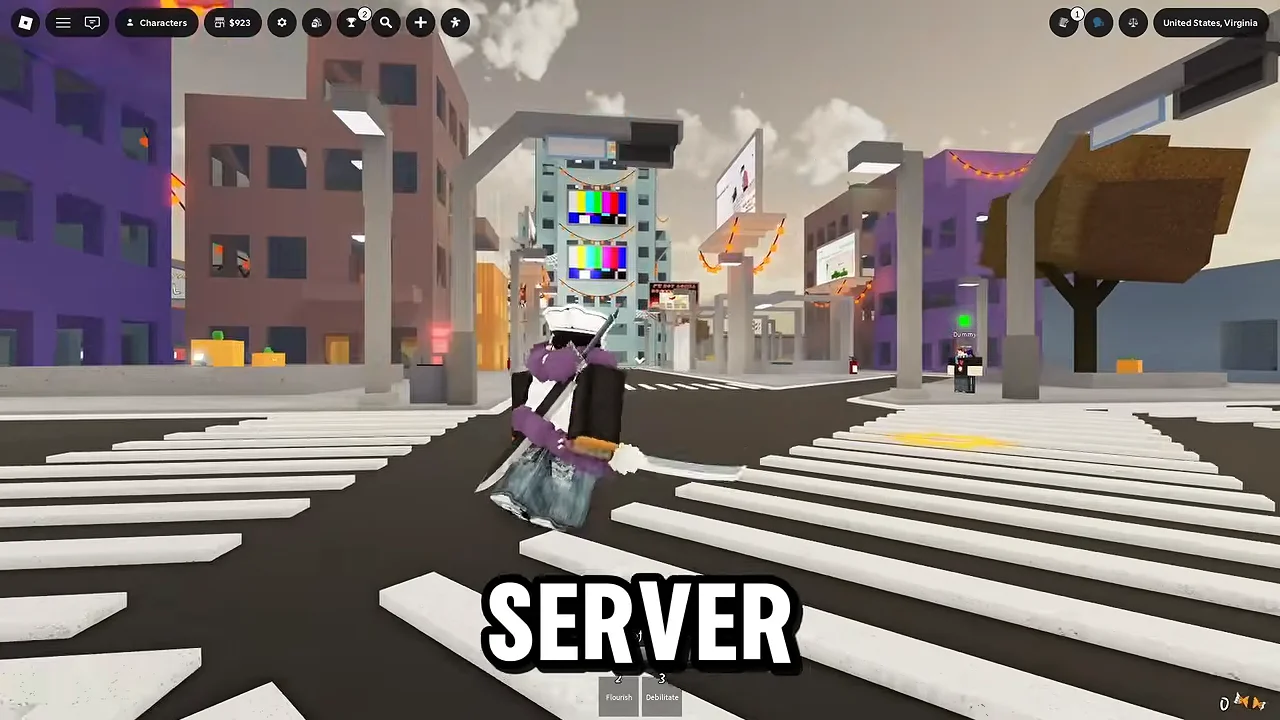
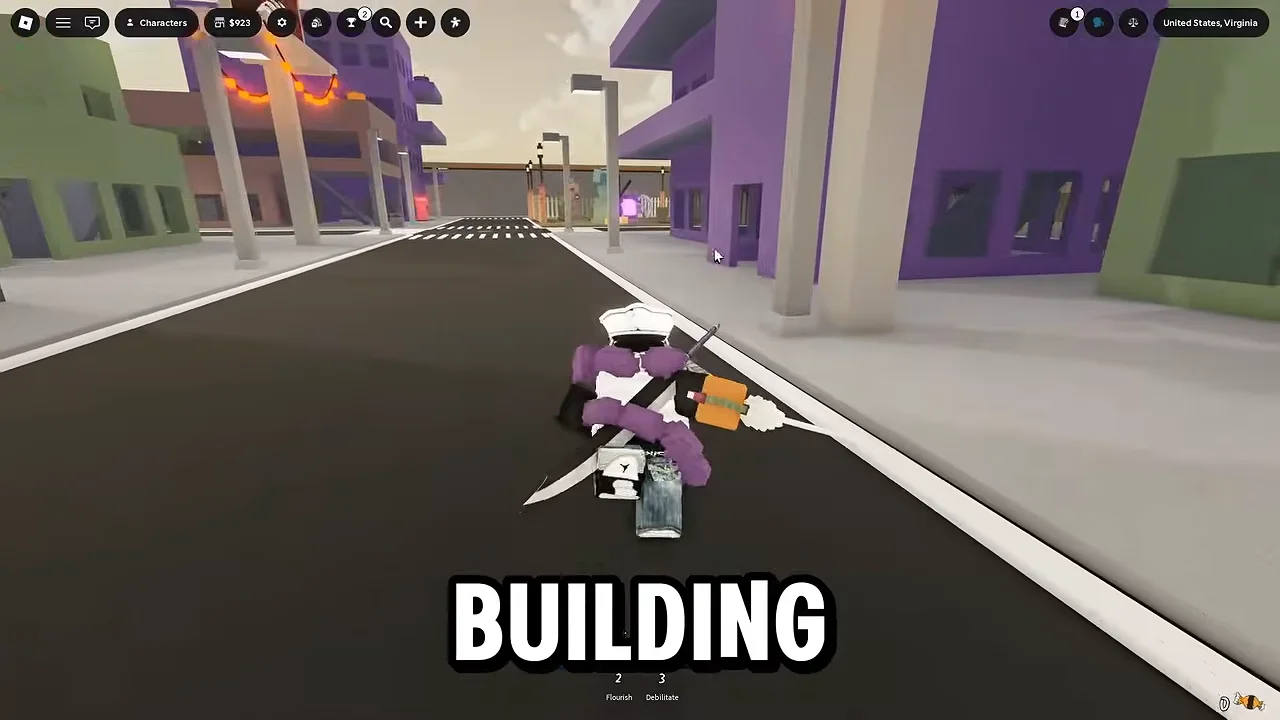
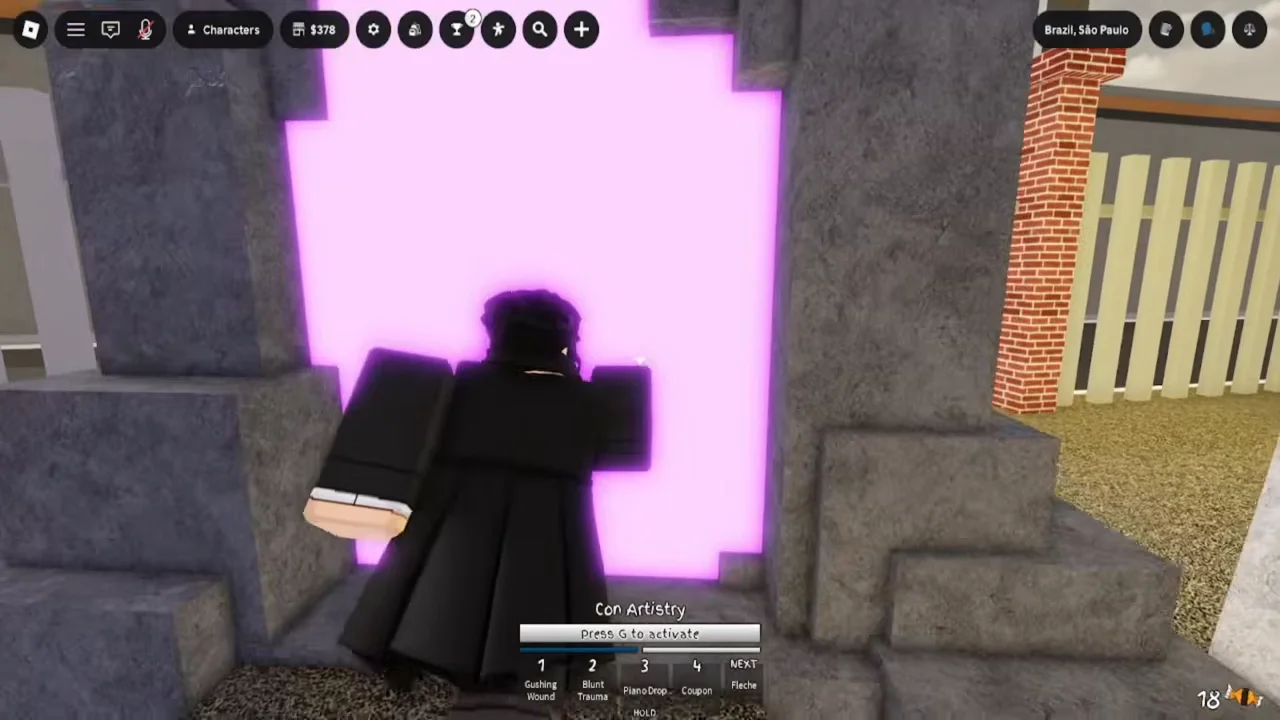
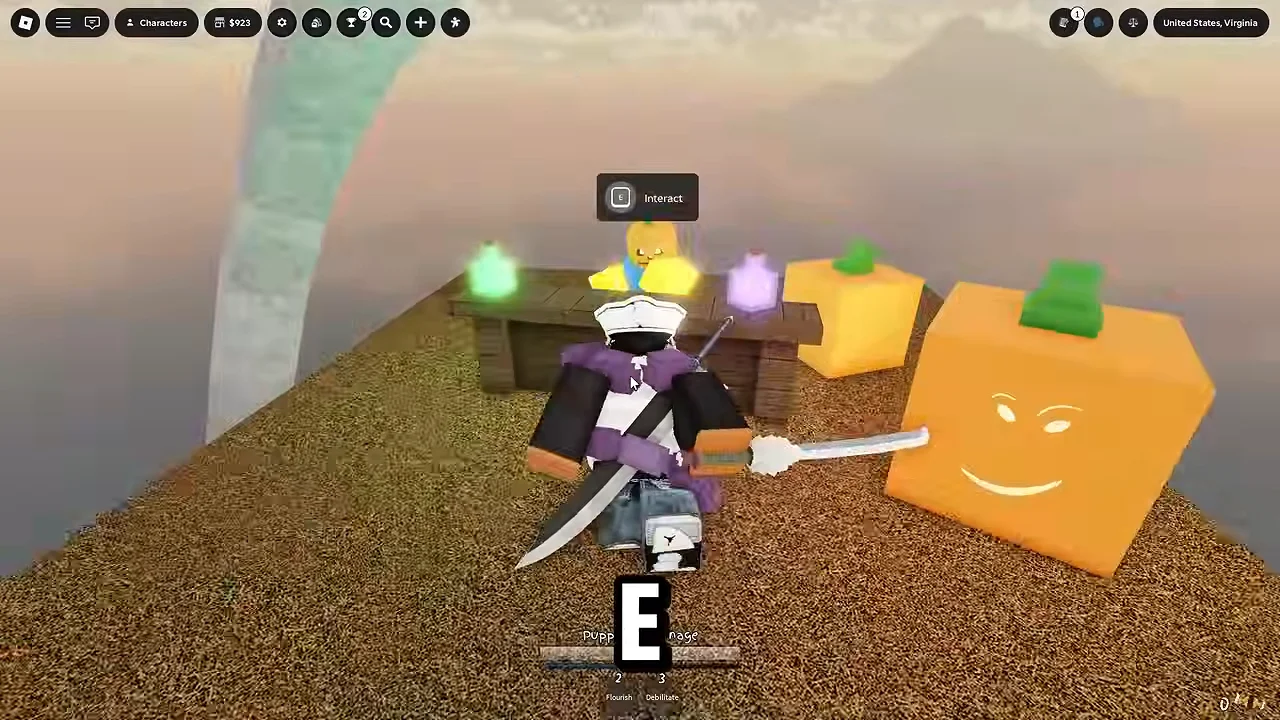
Central crossing → street opposite the JJS tower → graveyard portal → floating island counter. These frames show the 2026 map.
 View full size ↗
Gameplay: Captinttb · 0:33 1Start at the JJS tower
Find the tall JJS building with the stacked color-bar screens at the central crossing. Turn away from the tower and take the street toward the fenced graveyard.
 View full size ↗
Gameplay: Captinttb · 0:37 2Walk toward the purple glow
Continue between the buildings toward the white fence. The glowing purple portal is ahead beside the brown haunted house, inside the graveyard.
 View full size ↗
Gameplay: GG Games · 7:21 3Step into the graveyard portal
Walk into the purple opening in the stone arch. It transports you to the floating Halloween island.
 View full size ↗
Gameplay: Captinttb · 0:43 4Reach the counter and press E
Follow the island platforms past the cauldrons and pumpkins. Approach the pumpkin-headed NPC behind the wooden counter and use the E interaction prompt to open the Candy shop.
03 · Spend
Candy shop prices & how buying works
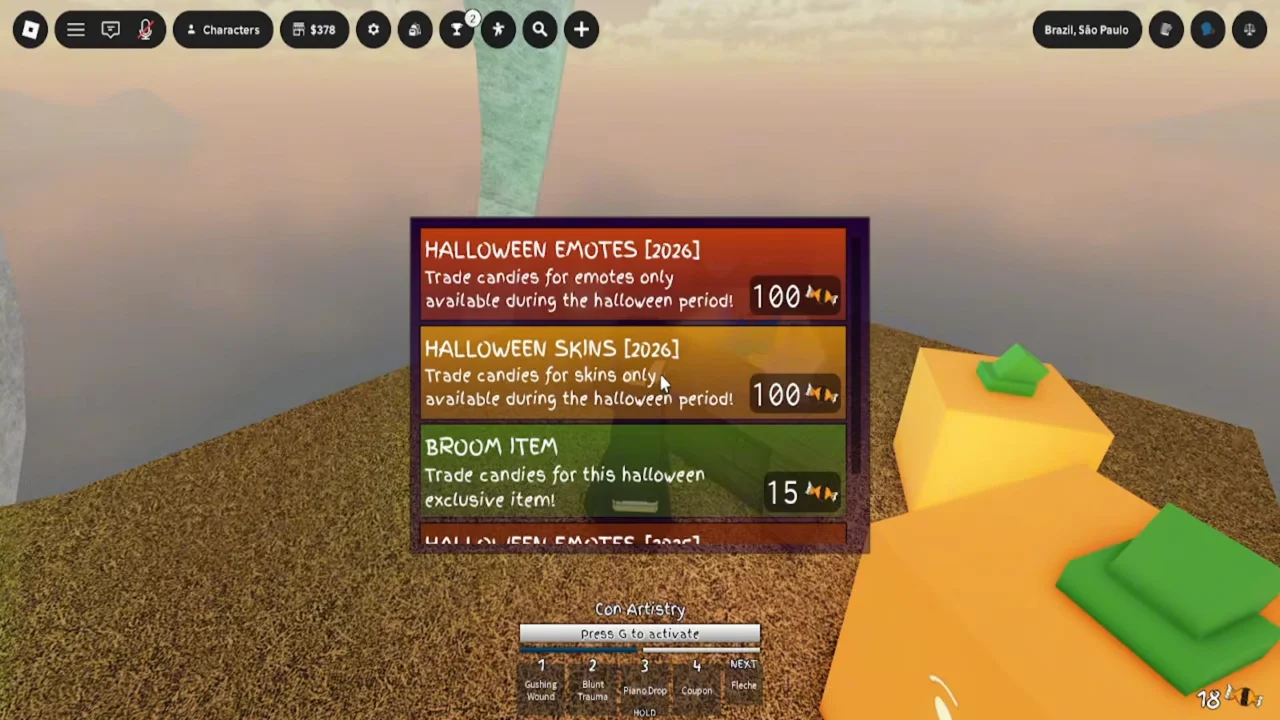
Open the NPC’s event shop, then click the price beside the category you want. Scroll inside the menu to reach the returning 2025 emotes.
| Reward listing | Candy |
|---|---|
| Halloween Emotes [2026]This year’s Halloween emote category. | 100 |
| Halloween Skins [2026]One skin per purchase in the recorded sequence. | 100 |
| Broom ItemThe shop’s separate Halloween item listing. | 15 |
| Halloween Emotes [2025]Last year’s returning emote category. | 250 |
Door-only budget: at the observed 15 Candy per door, 1 door covers the broom, 7 cover a 100-Candy purchase, and 17 cover a 250-Candy purchase, starting from zero. This is a cost calculation, not a farming-time estimate.
 View full size ↗
100 Candy buys one skin, not the whole collection
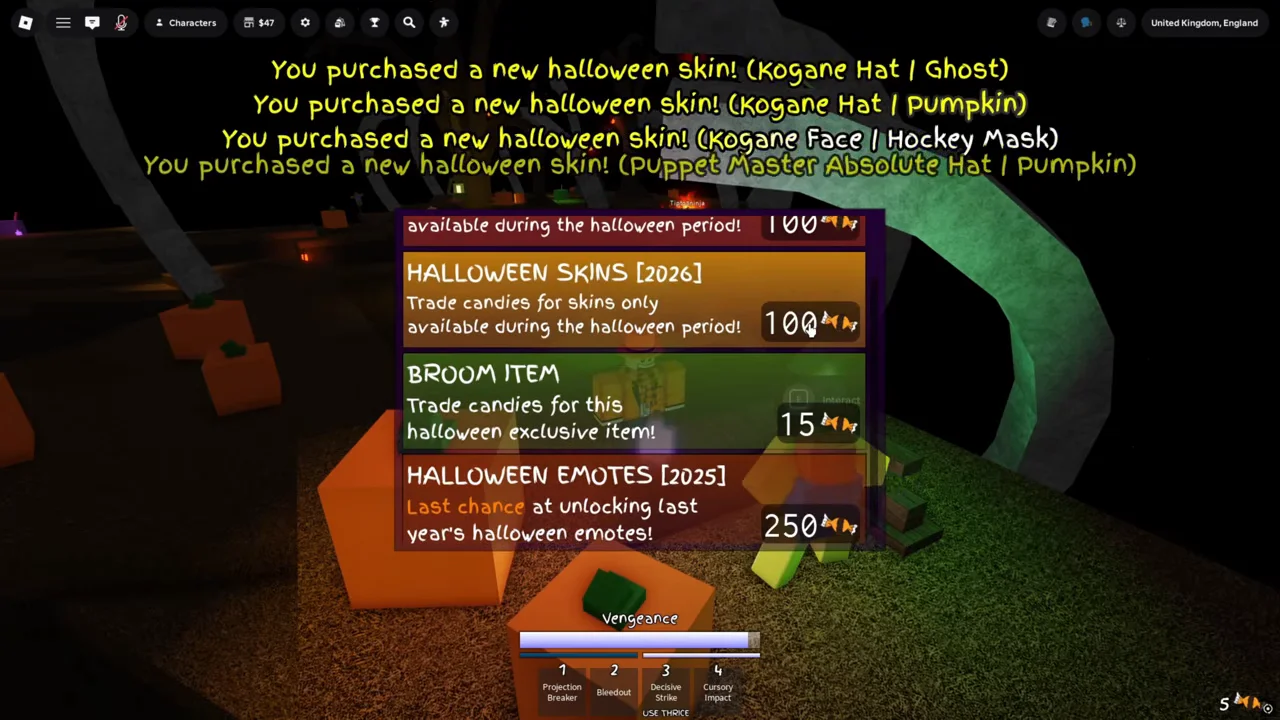
The purchase recording starts at 405 Candy. Four clicks on the 2026 Skins price produce four named rewards and leave 5 Candy. The player chooses the skin category; no individual-skin selector or extra confirmation appears in that sequence. Click once, then read the result before spending again.
The footage does not establish drop odds, duplicate protection, or the emote categories’ selection rules.
04 · Check your reward
Halloween skin checklist: pictures, slots & unlocks
Open Inventory → Skins alongside this checklist. Match the character and slot, then mark what you own. The three Pumpkin entries belong to different slots; owning one does not mean you own the others.
Open the dedicated Halloween skins guide for the name-and-slot table, collection-count explanation and unverified Pirate Hat report.
Your skin checklist
Saved in this browser. No Roblox account connection.
Candy shop rewards — 4 purchase-confirmed skins
These rewards appear in 100-Candy purchases from Halloween Skins [2026]. You buy the category, not a specific skin. This is a partial list, not the full reward pool.
0 / 4 marked owned in this group
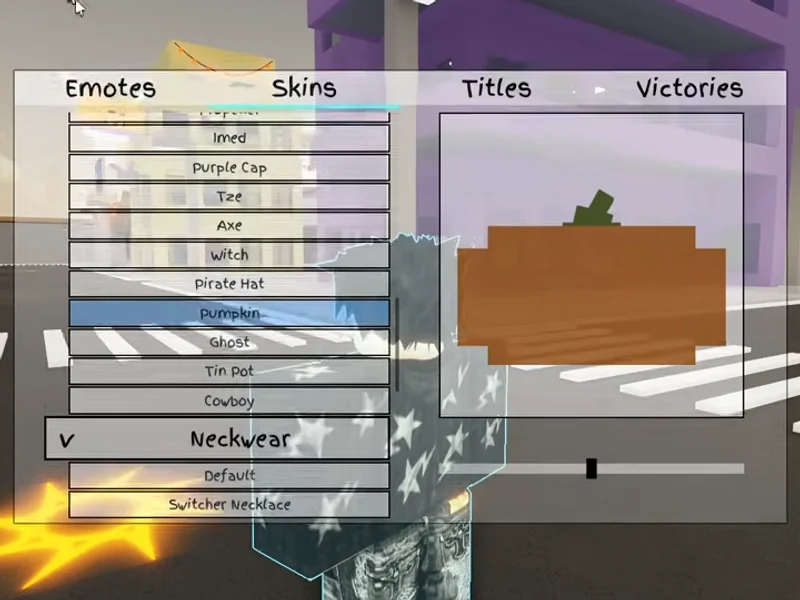
Kogane · Hat
Pumpkin
Inventory → Skins → Kogane → Hat → Pumpkin
100 Candy / category purchase
Orange pumpkin cap. This inventory preview shows the hat on its own.
Gameplay: JustVision · 7:12
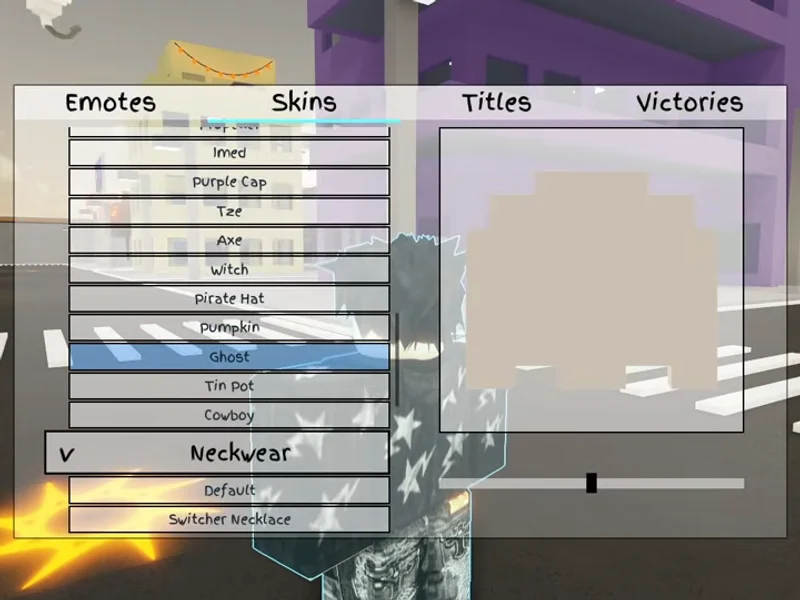
Kogane · Hat
Ghost
Inventory → Skins → Kogane → Hat → Ghost
100 Candy / category purchase
Sheet-style hat for Kogane, not a replacement for your character.
Gameplay: JustVision · 7:13
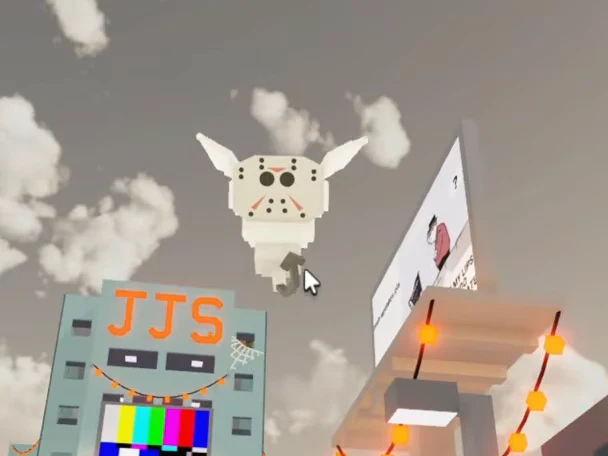
Kogane · Face
Hockey Mask
Inventory → Skins → Kogane → Face → Hockey Mask
100 Candy / category purchase
Pale mask with dark holes and red markings. Equip it in Face, not Hat.
Gameplay: oli-the-egg · 0:11
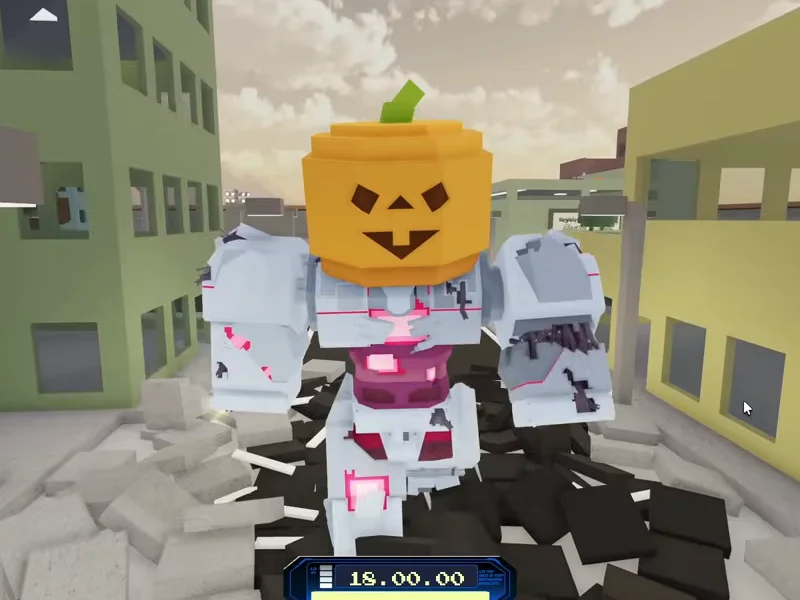
Puppet Master · Absolute Hat
Pumpkin
Inventory → Skins → Puppet Master → Absolute Hat → Pumpkin
100 Candy / category purchase
Changes the Absolute form’s head. The damaged body in the picture is a separate skin.
Gameplay: JustVision · 3:00
5 more pictured cosmetics — Candy source unverified
Use these pictures and slots to identify items you already own. They appear equipped in gameplay, but their individual Candy purchase results have not been verified. Do not spend Candy expecting a particular item below.
0 / 5 marked owned in this group
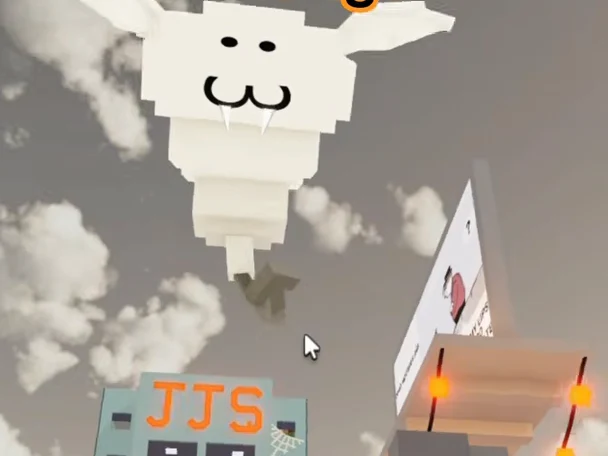
Kogane · Face
Fangs
Inventory → Skins → Kogane → Face → Fangs
Candy cost / acquisition: unverified
Two pointed teeth below Kogane’s mouth. The showcase labels this as a Face cosmetic.
Gameplay: oli-the-egg · 0:08
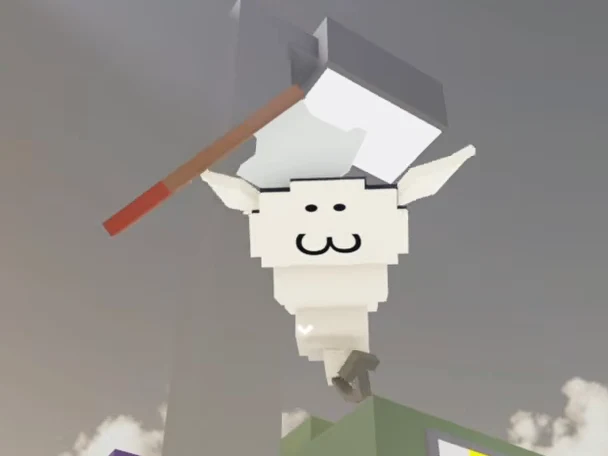
Kogane · Hat
Axe
Inventory → Skins → Kogane → Hat → Axe
Candy cost / acquisition: unverified
An axe across the top of Kogane’s head. Listed as Axe in the inventory.
Gameplay: oli-the-egg · 0:21
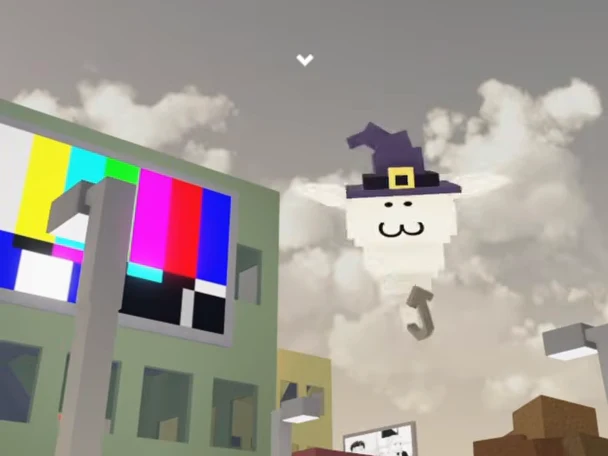
Kogane · Hat
Witch
Inventory → Skins → Kogane → Hat → Witch
Candy cost / acquisition: unverified
Pointed purple hat with a gold buckle. The inventory name is Witch.
Gameplay: oli-the-egg · 0:30
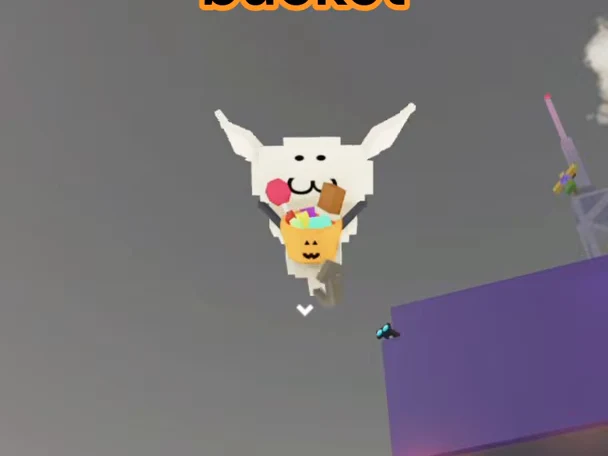
Kogane · Neckwear
Candy Bucket
Inventory → Skins → Kogane → Neckwear → Candy Bucket
Candy cost / acquisition: unverified
Pumpkin bucket filled with sweets, worn below Kogane’s face.
Gameplay: oli-the-egg · 0:35
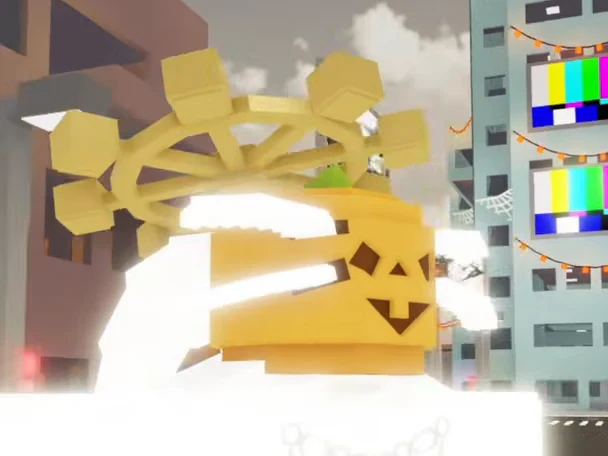
Ten Shadows · Mahoraga Hat
Pumpkin
Inventory → Skins → Ten Shadows → Mahoraga Hat → Pumpkin
Candy cost / acquisition: unverified
Pumpkin head beneath Mahoraga’s wheel. Find it under Ten Shadows, not Puppet Master.
Gameplay: oli-the-egg · 0:49
See the four recorded Candy purchase results
 View full size ↗
Looking for animations? Browse the 2026 & 2025 Halloween emote previews. The 250-Candy listing is a returning category, not a promise of a particular next emote.
How to equip Halloween skins
Open Inventory, select Skins, then expand the matching category shown above. Kogane Hat and Kogane Face are separate slots; Pumpkin under Puppet Master’s Absolute Hat changes that form’s head.
Why can’t I buy more Halloween skins?
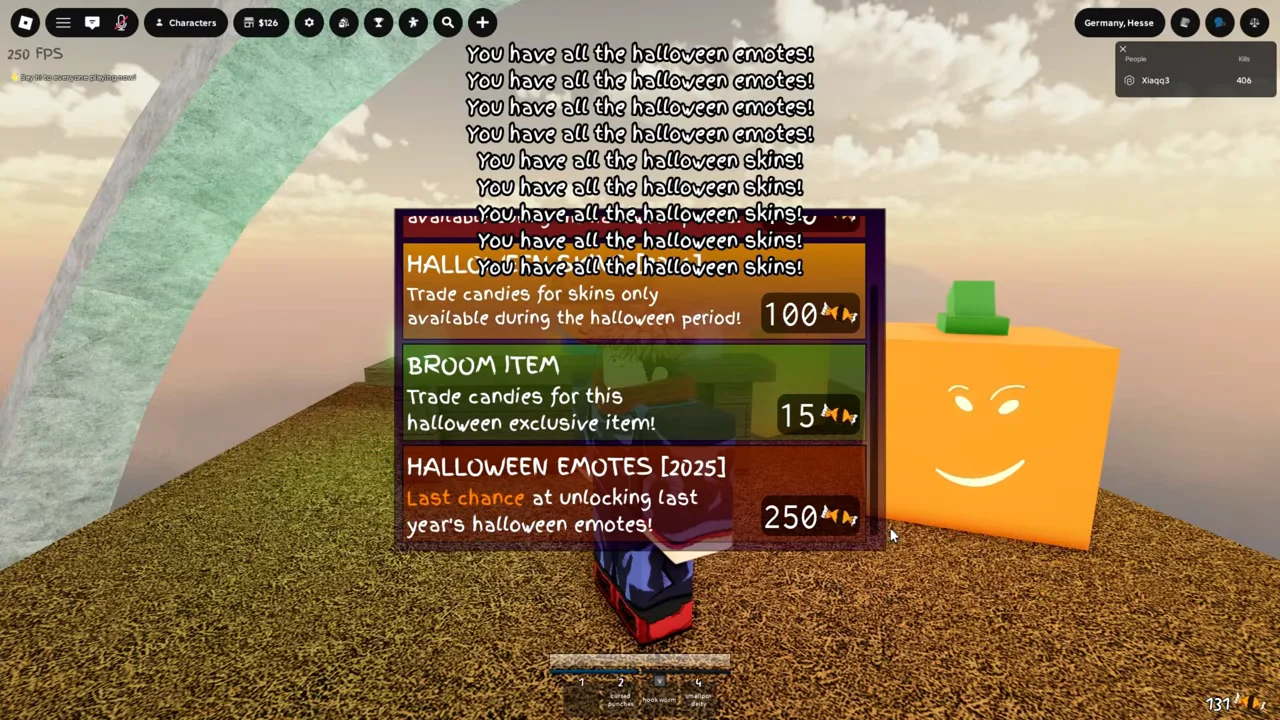
The shop can display “You have all the halloween skins!” after a purchase attempt. The recording shows this message with 131 Candy still available, so insufficient Candy is not the only reason a purchase can stop.
Check your unlocked items in Inventory. The message alone does not establish the total reward count or guarantee that every item you expected is available. The checklist tracks only the pictured items, not the entire reward pool. If the shop stops selling, compare your actual inventory rather than repeatedly clicking the price.
 View full size ↗
When does the JJS Halloween event end?
The Halloween shop’s closing time and reward claim deadline have not been confirmed. Do not treat an event-listing end time as the shop deadline. Door reset conditions and private-server Candy eligibility also remain unverified.
Download the illustrated field guide ↓October 24 illustrated snapshot · save offline or print. Read the V1.85 changes above for later rules.
JJS Halloween update codes
RIA2026 — Redemption Status Unverified. RIA2026 was announced to expire on October 31, 2026. The announced expiry date has passed; its current availability has not been independently verified in-game. This promotional code is separate from Halloween Candy rewards. Code entry is at the bottom of the main Shop.
Copy the code & see redemption instructions →JJS Halloween update 2026: release status
The Halloween event is live in V1.84, with October 24 gameplay showing the Candy shop and rewards. An exact global release timestamp has not been independently established. For character changes, use the guides linked below.
Related JJS resources
- V1.85 per-branch properties walkthrough →
- Halloween skin pictures & collection checklist →
- Hired Killer (Toji) moves and access →
- Halloween emotes & return status →
- Current JJS character roster →
- Register V1.84 complete kit →
- Official V1.84 Builder changes →
- Skill Builder node reference →
- Build Mode guide →
- JJS promo codes →
Watch Tze’s official Halloween trailer
Gameplay frames: Burger Socks, Captinttb and GG Games, October 23–24, 2026; skin previews: JustVision and oli-the-egg; shop completion message: Xiaqq3. Steps were checked against these recordings, not tested on our own game account. Skin footage reviewed October 25; developer patch notes and RIA2026 expiry/redemption announcements rechecked November 3. Play Jujutsu Shenanigans ↗